Hermes Desktop vs Personal AI Assistants
Hermes Desktop vs Personal AI Assistants

Quick Verdict
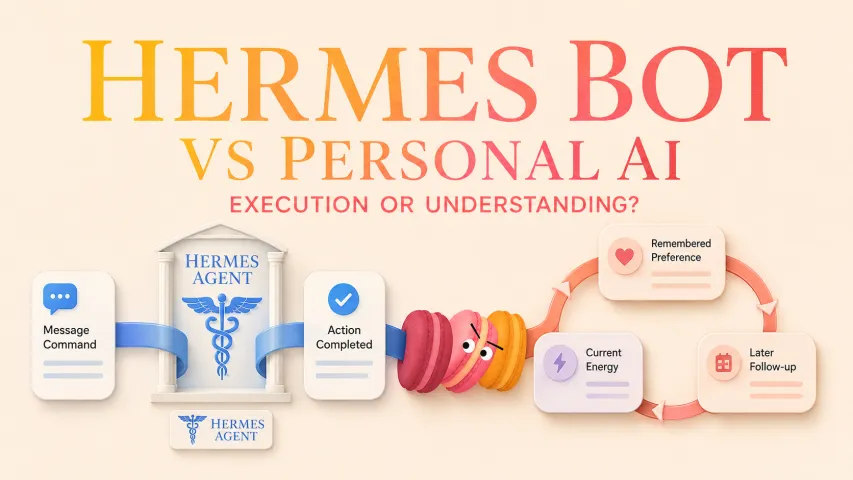
This is an asymmetric comparison. Hermes Desktop is a specific native interface for configuring and running Hermes Agent work, while personal AI assistants are a varied product category designed for ongoing daily support. Choose Hermes Desktop when technical control, files, and defined project execution matter more. Choose a personal AI assistant when you want less configuration and continuity across routines or small decisions—subject to that product's verified controls.
The useful question is who takes responsibility for setup, context, and action. In a Hermes Desktop vs personal AI decision, decide whether you want to assemble an agent workspace or adopt a prepackaged daily-support experience.
What Each Option Is Designed to Do
Hermes Desktop for Building and Running Agent Work

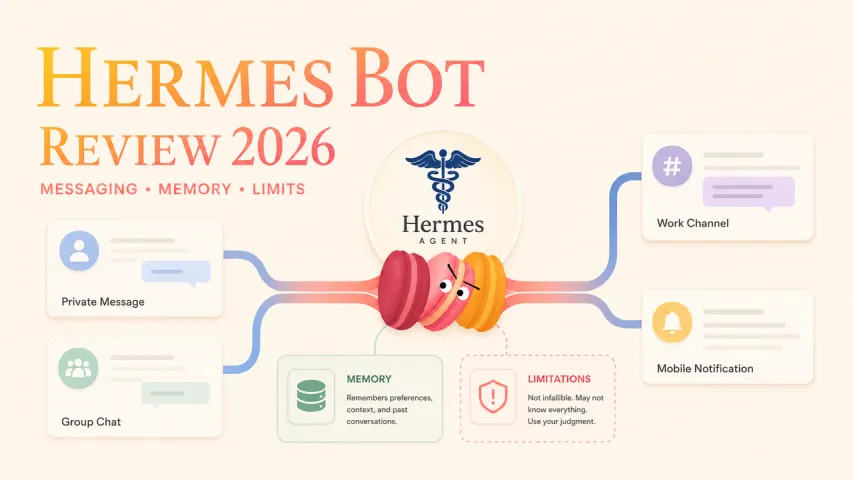
Nous Research describes Hermes Desktop as the native app for Hermes Agent. Its Desktop documentation says the app shares configuration, sessions, Skills, and memory with the CLI and gateway. According to the current documentation, it provides chat, tool activity, file browsing, previews, settings, and onboarding on macOS, Windows, and Linux; verify platform and feature support for the release you plan to install.
That makes this AI desktop assistant most relevant when work has a project folder, tools, execution steps, and boundaries you want to configure. It is not merely a personal AI companion with a desktop window.
Personal AI Assistants for Ongoing Daily Support
“Personal AI assistant” covers products with different models, memory systems, and controls. The Personal AI agent guide explains the category's focus on individual tasks and context. Some products may prepackage routines, reflection, planning, or preferences. These are tendencies, not universal features.
Setup and Control

Providers, Tools, Skills, and Permissions
Hermes Desktop exposes providers, models, tools, and credentials, according to the official repository. It can manage a local backend or connect to a user-operated remote backend. Hermes documents command approvals and file-safety controls in its security documentation.
This control shifts responsibility toward the user. Credentials, tool permissions, files, remote access, and execution limits need deliberate choices. “More configurable” does not mean “automatically safer.”
Ready-to-Use Experiences with Less Configuration
Some consumer-oriented personal AI products may package onboarding and personalization into one service. That can reduce setup where documented, but it does not guarantee stronger privacy, better memory, or offline operation. A productivity agent vs personal AI comparison should count setup burden and ongoing responsibility.

Memory and Personalization
Curated Agent Memory and Session Continuity
Hermes documents agent-curated memory, session search, profiles, and continuity across interfaces. For defined work, this can preserve project context and reusable Skills. It is not automatically better or worse than life-context memory; it supports work continuity and learned procedures.
Life Context, Preferences, and Relationship Continuity
Some personal AI products aim to retain preferences, routines, or relationship context. Check each claim against the exact product's documentation. “Relationship continuity” is a design goal, not proof that a system understands relationships or should replace human judgment.
Daily-Life Fit
Project Execution and File-Based Work
Hermes Desktop fits: “I need an agent to work through a defined project and files.” Its file browser, tool activity, project directory, Skills, and configurable backend support that workflow. The Hermes Agent desktop still requires access and review decisions.
Routines, Reflection, Planning, and Small Decisions
Some personal AI products may fit: “I need ongoing support across routines and small daily decisions.” The potential advantage is less repeated setup, depending on the product. Whether it delivers that continuity—and lets users inspect, correct, export, or delete it—remains product-specific.

Privacy and Responsibility Trade-Offs
The clearest comparison is a three-part responsibility split:
- User configures: Hermes providers, models, tools, Skills, credentials, files, approvals, and backend boundaries.
- Product prepackages: Some personal AI products may package onboarding, interface, memory behavior, routines, and support surfaces, but these vary by product.
- User still controls: Sensitive inputs, corrections, permissions, connected accounts, exports, deletion requests, and situations where either assistant should not act.

Hermes documents security boundaries including authentication and connection controls. Its current Desktop documentation says gateway tokens are encrypted with the operating-system keyring, with an explicit plain-text option on Linux systems without a keyring; verify this behavior for the installed version. During the August 19, 2026 review, I did not find a documented universal export-and-delete workflow covering every state type. Personal AI privacy cannot be inferred from convenience; check current privacy and account controls.
Which Type Fits You?
Choose Hermes Desktop if: you want provider and tool control for defined projects and can manage credentials, permissions, and execution boundaries.
Choose a Personal AI product if: its documented controls support ongoing assistance and you prefer prepackaged setup and continuity.
Verify first: platforms, providers, memory controls, connectivity, exports, deletion, shared-device behavior, accessibility, and tool access.
FAQ
Can Hermes Desktop and a personal AI assistant use the same model?
Possibly, but shared model access does not make products equivalent. Verify the provider, model version, account or API-key method, and configuration for each product. Their tools, memory, permissions, and interfaces may differ.
Which option works better with unreliable internet access?
Neither wins by default. Hermes Desktop can run a local backend, but hosted models, remote backends, web tools, syncing, and updates may need connectivity. A supported local model changes part of that boundary. Personal AI connectivity varies; never assume offline support.
Can households keep separate personal contexts on one device?
Hermes documents profiles with isolated configuration, Skills, and sessions, but not a household account guarantee. Verify accounts, memory boundaries, permissions, operating-system user separation, and shared-device behavior. Avoid one shared context when private information could cross between people.
What data should users export before switching assistant types?
Inventory sessions, memory or preferences, Skills, configuration, prompts, files, connected accounts, credentials, and subscriptions. Export only what is officially supported; distinguish manual copies from a true export. Then review documented deletion and account-revocation steps.
Do either type offer keyboard-only accessibility settings?
Hermes Desktop documents a command palette, keyboard navigation, rebindable shortcuts, and zoom. It does not clearly establish complete keyboard-only operation, screen-reader labeling, or accessibility conformance as of August 19, 2026. Check focus order, labels, and limitations for the exact personal AI too.
Conclusion
Hermes Desktop fits configurable agent work; some personal AI products may fit ongoing life support with less assembly. Choose according to the work, then verify the controls affecting your data, device, and responsibilities.